




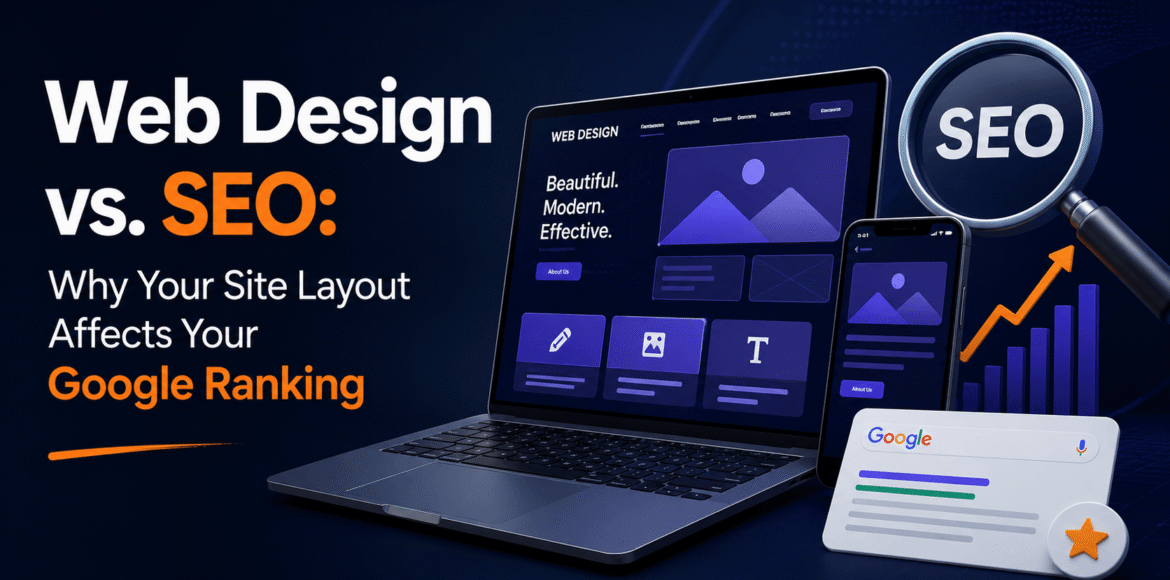
Web Design vs. SEO: Why Your Site Layout Affects Your Google Ranking
The Cost of Fractured Digital Development
Many small business owners across Maryland treat website development and search engine optimization as completely separate tasks. A typical business hires a graphic designer to build a visually striking website first, focuses entirely on colors and animations, and only brings in an organic optimization specialist months later to fix dropping traffic.
This fragmented strategy is a major business mistake that drains marketing budgets and delays online growth. A beautiful layout built on a messy foundation of unoptimized code and slow framework performance will struggle to rank on modern search engines.
Web layout and technical crawling mechanics are deeply intertwined. Organic search engines judge your platform by its speed, structure, and responsiveness, not just its visual style. To build a highly visible online brand, you must integrate synchronized seo services from the very first phase of your layout planning. This article details the structural connections between design and search rankings, and explains how to optimize your web environment for both human visitors and search bots.
- [Visual Design Only] ──> Heavy Layout Blocks ──> Crawl Indexing Failures
- [SEO-Architected Setup] ──> Clean Data Flows ──> Top Organic Search Placement
Algorithmic Crawling and Render Tree Optimization
Search engine bots do not view web environments the way human visitors do. Human users notice vibrant colors, polished typography, and smooth page transitions. Search engine spiders see raw text source code, document structures, and server performance metrics.
The Threat of Modern Code Over-Engineering
A major reason websites lose their search position is code bloat. Many generic themes and visual page builders inject massive amounts of unnecessary CSS styles and heavy JavaScript libraries to render simple visual elements. This heavy code forces search engine bots to spend precious processing time loading complex page layers, which drains your website’s allocated crawl budget and can leave your deeper service pages unindexed. Keep your source code clean and lightweight so search spiders can read, index, and contextualize your business offers easily.
Establishing Clean Semantic Header Structures
An optimized website operates on a strict, logical content hierarchy. This structure acts as a blueprint that guides search crawlers through your information. Every page requires a single H1 tag that states the primary topic, supported by orderly H2 and H3 subheaders to break down individual subtopics cleanly.
- [H1: Main Service Definition]
- └── [H2: Core Regional Subtopic]
- ├── [H3: Supporting Detail Element]
- └── [H3: Secondary Context Marker]
Maximizing User Experience and On-Page Time Metrics
Search engine algorithms reward websites that satisfy user queries quickly. Good web design keeps users engaged, which lowers bounce rates and directly boosts your organic organic positions.
Speeding Up Site Interaction Performance
Slow-loading layouts turn away modern mobile web users. Compressing heavy visual assets into lightweight modern formats like WebP, setting explicit image dimensions to prevent layout shifts, and using lazy-loading tech ensures your landing pages open instantly, keeping visitors from bouncing back to search results.
Building Effortless Internal Site Navigation
Confusing, messy link menus stress visitors out and cause them to leave. Using clean internal text links lets users find relevant information easily while allowing search bots to distribute ranking authority evenly across your target pages.
- ┌────────────────────────────────────────────────────────┐
- │ BALANCED UX & SEO ARCHITECTURE │
- ├───────────────────────────┬────────────────────────────┤
- │ Clean Semantic HTML Hierarchy │ Compressed WebP Asset Elements │
- │ Intuitive Link Navigation │ Rapid Interaction Timings │
- └───────────────────────────┴────────────────────────────┘
Resolving Design Gaps That Damage Google Rankings
Several common design mistakes can directly hurt your site’s search visibility if they are not caught early.
Content Hidden in Dynamic Interface Elements
Placing core service descriptions or key industry paragraphs inside hidden accordion tabs or lazy-loaded popups can cause indexing issues. While these elements clean up screen space, search crawlers can skip over content that requires a user click to reveal, causing you to lose rankings for those terms. Keep your high-intent text content open and accessible in your default page layout.
Thin Content Layouts on Critical Target Pages
Many modern design trends lean toward minimalist, image-heavy layouts with very little text. However, search engines need written content to accurately understand a page’s topic. A thin landing page with only a few sentences cannot compete with highly-detailed competitor pages. Your layouts must balance beautiful design with deep, helpful content that thoroughly answers consumer questions.
Frequently Asked Questions (FAQ)
Can a website change its design without hurting current keyword ranks?
Yes. By setting up proper 301 redirection scripts for any changed URLs, keeping your text content depth stable, and protecting your core header structures, you can upgrade your layout while keeping your search traffic safe.
What are image alt text tags, and why do they matter?
Alt tags are text descriptions embedded within image code. They help search bots understand image context, fulfill accessibility guidelines, and allow your site to rank inside Google Image search.
Why does a high user bounce rate hurt my website’s rankings?
A high bounce rate signals to search engines that your landing page didn’t match what the user was looking for, causing your site to lose positions for that keyword over time.